
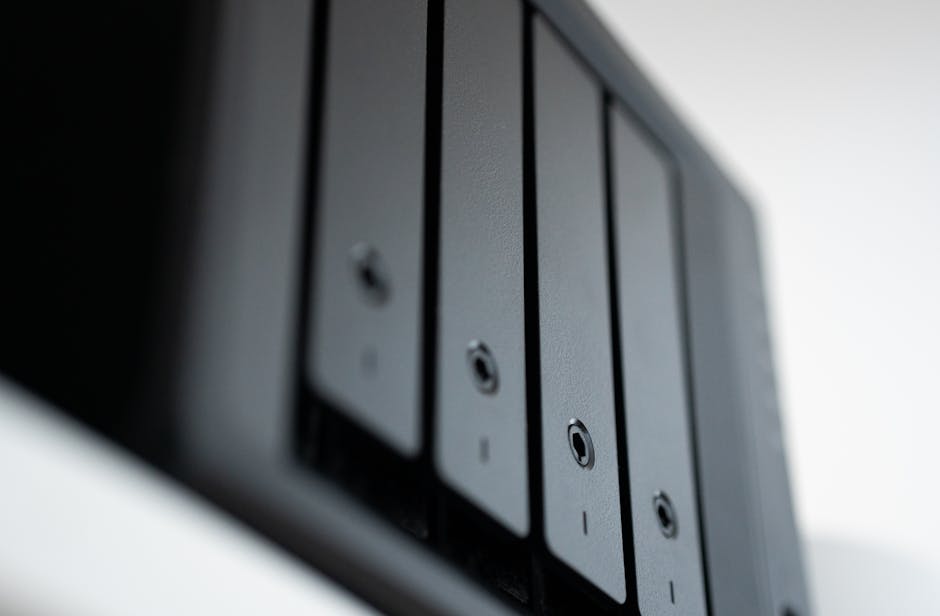

Imagine the device you bought specifically to protect your business — your network backup drive — is the device that gets encrypted first. That is exactly what is happening right now to small businesses running Synology network-attached storage (NAS) hardware. And the timing of a new federal government guide for businesses with no IT staff makes this week's threat picture unusually worth reading.
What Is Actually Happening
Synology, a Taiwanese maker of NAS appliances, warned customers to update their devices immediately due to a surge in C3RB3R ransomware attacks. The warning, issued October 29 and amplified November 2, 2026, was not theoretical. It followed more than two weeks of reports from home and small-business users who had already found their files locked — a ransom note named read-me3.txt, encrypted files renamed with a .L0CK3D extension, and instructions to purchase a "C3rb3r Decryptor" through a dark-web portal for thousands of dollars.
The malware has been identified as C3RB3R, part of the Cerber ransomware family. It has been encrypting files on Synology NAS devices since early October 2026 and leaves a bitcoin ransom note in every folder.
Here is what makes this particularly painful for small businesses: backups stored on the same box go with everything else. And there is no public decryptor for C3RB3R as of this writing. You cannot buy your way back to normal with a tool — only with either the attacker's key or a truly separate, offline copy of your data.
How Are Attackers Getting In?
The honest answer is: through software flaws that were already fixed, on devices that were never updated. C3RB3R ransomware is actively encrypting Synology NAS devices by exploiting two critical authentication bypass flaws — CVE-2026-13639 and CVE-2026-13684, each with a Common Vulnerability Scoring System (CVSS) severity score of 9.8 out of 10 — patched by Synology on September 18, 2026. A CVSS score of 9.8 means an unauthenticated attacker — someone with zero account credentials — can reach in over the internet and take control. No password required.
Synology also said it observed threat actors exploiting a separate vulnerability that was patched as far back as December 2024 to target devices running outdated versions of its DiskStation Manager (DSM) operating software. In other words, the entry points attackers are using were known and fixable for anywhere from two months to nearly two years. The issue is not that Synology failed to act. The issue is that the patches were not applied.
Any Synology NAS still running an unpatched release of DSM 7.2.2, 7.2.1, 7.2, 7.1, or 6.2 is at risk, especially if its management web interface can be reached from the internet. The Shadowserver Foundation tracks more than 380,000 Synology NAS devices exposed online, though it is not known how many are already patched. Some of those 380,000 belong to large enterprises. Many do not.
Why This Hits Small Businesses Hardest
A NAS device is exactly the kind of hardware that gets purchased, configured once, and then quietly ignored. It sits in a closet or a back office, it backs up files automatically, and nobody thinks about it again until something goes wrong. That invisibility is precisely what attackers count on.
Affected users found encrypted files in File Station, including shared folders, enterprise development documents, database images, and routine backup files. Read that last one again: routine backup files. If your backup is on the same device as your data, you do not have a backup — you have a second copy of the same target.
NIST Published a Free Playbook This Week — Read It
The timing is coincidental but useful. On November 2, 2026, the National Institute of Standards and Technology (NIST) published Cybersecurity White Paper 50 — NIST CSWP 50 — which simplifies the Cybersecurity Framework (CSF) 2.0 and offers practical actions for businesses with limited IT infrastructure. NIST is the federal agency whose security standards underpin most U.S. regulatory frameworks.
The publication, titled Small Business Cybersecurity: Non-Employer Firms, specifically targets freelancers, independent contractors, sole proprietors, and other businesses without paid employees beyond their owners — though its recommendations may also help companies with very small teams and limited technical resources. According to NIST's data, 81.9% of America's 34.8 million small businesses have no paid employees beyond their owners. The guide was written for the overwhelming majority, not the exception.
Three of its recommendations are directly relevant to what is happening with C3RB3R right now:
- Multi-factor authentication (MFA) everywhere. NIST gives particular attention to identity security, recommending phishing-resistant multi-factor authentication wherever available, especially for email, banking, password managers, sensitive storage, and business-critical cloud accounts. MFA alone would not have prevented C3RB3R (which exploited a software flaw, not a stolen password), but it closes the credential-theft door that often comes next.
- Keep software updated. The guide recommends keeping software up to date and using standard accounts with MFA for everyday work whenever possible. Applied to the Synology situation: an auto-updated device would have received the September patch and been protected before October's attack wave began.
- Offline, tested backups. NIST warns that ransomware exposure extends beyond local networks to cloud accounts and software-as-a-service platforms. Businesses should retain multiple backup copies, including one on a medium disconnected from the device. This is the specific gap C3RB3R is exploiting: a NAS that is always online and always reachable is not a safe backup destination by itself.
NIST also recommends keeping a paper copy of the contacts owners may need during an incident, such as legal counsel or an incident response specialist. That is not dramatic advice — it is the kind of thing nobody thinks about until their screen is filled with a ransom note and their internet connection is locked down.
So What Does This Mean for My Business, and What Do I Do?
If you have a Synology NAS in your office or home office, treat it as an open question right now, not an assumption. Do not assume it is patched because nobody has complained about it. Do not assume it is safe because it is behind your router. Synology has urged all users to enable automatic updates and upgrade their DiskStation Manager software to the latest version.
More broadly, the NIST guide is free, plain-English, and the first time the federal government has written cybersecurity guidance specifically for the solo-owner business. It is worth twenty minutes of your time regardless of whether you have a NAS.
Here are the specific questions to bring to your IT provider or managed service provider (MSP) this week:
- "Do we have any Synology NAS devices, and are they running the latest DSM firmware?" If the answer to the first question is yes and the answer to the second is uncertain, that is your first action item.
- "Is our NAS management interface reachable from the public internet?" If yes, that exposure should be closed unless there is a documented operational reason to keep it open.
- "Where does our backup data actually live, and is any copy stored completely offline or immutable?" A backup that ransomware can encrypt is not a backup in any meaningful sense.
- "Are automatic updates turned on for our storage, firewall, and network devices — not just our computers?" Attackers know that appliances get patched last, or never. So do they.
- "Do all of our critical accounts — email, banking, payroll, cloud storage — have phishing-resistant MFA enabled?" NIST's new guide calls this the single highest-priority step. It is correct.
The C3RB3R campaign is a live reminder that your most dangerous security gap is usually not the system you worry about — it is the one you stopped worrying about years ago.
Sources
- BleepingComputer — Synology warns of C3RB3R ransomware attacks targeting NAS devices (2026-11-02)
- The Hacker News — Synology NAS Devices Targeted in Ransomware Attacks Exploiting Patched DSM Flaw (2026-11-03)
- Security Breaches — Synology Warns NAS Owners to Patch Now as C3RB3R Ransomware Encrypts Outdated Devices (2026-11-02)
- Techaeris — Synology NAS Ransomware Alert: C3RB3R Locks Files With .L0CK3D (2026-10-31)
- Sanjay Seth — C3RB3R Ransomware Hits Synology NAS: CVE-2026-13639 & CVE-2026-13684 (2026-11-03)
- Beyond Machines — Ransomware Targets Synology NAS Devices, Researchers Point to Critical 2026 DSM Flaws (2026-11-03)
- Help Net Security — NIST publishes cybersecurity guide for businesses too small to have IT staff (2026-11-04)
- GBHackers — NIST Releases New Cybersecurity Guidelines to Protect Small Businesses From Phishing and Ransomware Attacks (2026-11-03)
- NIST / CSRC — NIST CSWP 50: Small Business Cybersecurity: Non-Employer Firms (Final) (2026-11-02)
- Cyberpress — NIST Releases New Cybersecurity Guidelines to Protect Small Businesses From Cyberattacks (2026-11-03)