

Updated October 20, 2026. This is an active incident and the numbers are still moving. Every claim below is attributed, and we will revise this post as the facts change.
On October 15, a credential belonging to ConnectWise Cloud Backup, the product formerly known as SkyKick, was used to sign in to customers' Microsoft 365 tenants. The security firm Huntress published the first account on October 16. By that evening it had confirmed unauthorized sign-ins in 162 tenants. In one tenant it examined, a second ConnectWise application added itself to the Global Administrator role, then added new secrets to two other applications. All of it took about five minutes.
Skip the vendor name for a minute. Three details matter more.
1. No user signed in
The application authenticated with its own credential, the same way it does every day. No person, no device, no multifactor prompt. If your security story is "we have MFA on everyone," this is the door that story does not cover.
2. The credential lived in the vendor's tenant
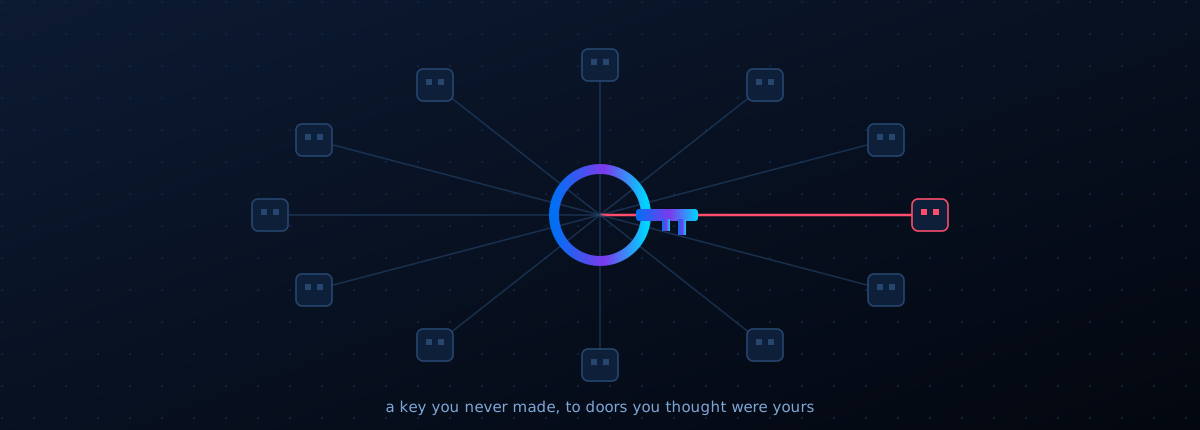
Huntress describes the credential as a client assertion held in the vendor's own tenant, and says nothing a customer did could have created it. That is what a supply chain is. Your client did not misconfigure anything. You did not miss a patch. The trusted platform became the way in.
3. Shutting the app off did not undo what came before
ConnectWise disabled the affected applications on October 17. By its own statement, tokens issued earlier may keep working until they expire, and credentials or permissions added through other identities still have to be found and removed. That part lands on the MSP. Nobody is going to do it for you.
What is confirmed, and what is not
- Scale is moving. 162 tenants was Huntress's count on the evening of October 16, from its own customers. A day later Huntress reported sign-in activity from the same source address in almost 1,000 tenants, with more than 300 successful. Another security firm, Todyl, has said it was affected too. Nobody has published a true total.
- Microsoft calls it an active supply-chain attack involving a compromised, trusted OAuth application for Cloud Backup, per reporting by Cybersecurity Dive.
- ConnectWise says it found no evidence that stored backup data was compromised. That is the company's statement; no one outside has independently confirmed it either way. It also took Cloud Management and SaaS Security offline as a precaution, and scheduled Cloud Backup jobs are not running.
- Unknown: how the credential was obtained, who is behind it, and exactly what data was read. Huntress notes some directory reads leave no audit record, so a clean log is reassuring, not proof.
- Reporting differs on the credential type: Huntress describes a credential in the vendor's tenant; Microsoft describes a compromised application. Both agree on the outcome.
Four checks for this week
1. Application sign-ins. If any client uses ConnectWise Cloud Backup (or the older SkyKick name), open the Microsoft Entra admin center, go to the sign-in logs, and switch to the tab for service principal sign-ins, not user sign-ins. Filter on the Cloud Backup application and look for any address outside Microsoft's own network. Huntress reports the primary source address as 144.172.64[.]128. Huntress also says a clean result does not rule out access.
2. Disable, do not delete. Disable the ConnectWise applications you cannot verify. Huntress is specific: deleting an application removes the client's consent and means re-consenting later, while disabling stops new sign-ins and keeps the door recoverable. Do not turn them back on until ConnectWise confirms every credential has been reset. Know the cost: disabling Cloud Backup pauses backups. Existing ConnectWise-held backups are not deleted.
3. Review every key added since October 13. In every client tenant, ConnectWise or not, review every application for a secret or certificate that your team did not create, and remove it. In the tenant Huntress examined, the new secrets were set to expire in 2028.
4. Read the audit log for self-promotion. Look for any ConnectWise or SkyKick application assigning itself to a directory role, or changing another application's credentials. That is the pattern Huntress observed. Check any role held by these apps, especially Global Administrator and Privileged Authentication Administrator, and remove roles nobody intentionally granted.
Application IDs published by Huntress
- ConnectWise Cloud Backup (SkyKick):
506e08f9-6e9a-4da4-942b-a099a03644ae - Cloud Management:
2399d300-6fca-4e6a-a686-399fefe75b83 - Cloud Management, MS Teams:
24205314-2b89-4e07-a2a4-579e898a5640 - Cloud Management, Exchange Online:
b78f6a77-d4e5-46fb-87e5-d1648bd02519 - Cloud Management, MS Graph:
0de14c77-b9b0-4137-9360-34878a929827 - Cloud Management, Partner Center:
412dcf96-176d-4b3a-a1b0-4981ad66971e - Cloud Management, SharePoint Online:
b2b55f5b-7758-4719-8d8f-88ae172e6bdb
Older tenants may list the Cloud Backup app as "SkyKick Cloud Manager." ConnectWise and Huntress are both updating their guidance, so check their pages for changes before you rely on this list.
My take
This one is ConnectWise this week. Next month it could be anyone, and the lesson does not change. Every vendor application with standing permissions in your clients' tenants is a credential you do not control. Backup, security, management, reporting: each one is a key to a client's front door that somebody else holds. Most MSPs could not tell you today how many of those keys they have across their clients. That is the work. Not blaming one vendor. Counting the keys.
If you are a business owner, ask your provider one question this week: which outside applications have standing access to our Microsoft environment, and who reviews them? If the answer takes longer than a day, that is your answer.
If you want a second set of eyes on your Microsoft 365 tenants, talk to our team.
We also covered this on All Eyes. The pop-up episode is here: The Key Was Never Yours.
Sources
- Huntress — ConnectWise (SkyKick) Vendor Credentials Abused in M365 Attacks (Oct 16, 2026; updated Oct 17 and Oct 19)
- BleepingComputer — Hackers breach Microsoft 365 tenants via ConnectWise supply-chain attack (Oct 2026)
- Cybersecurity Dive — ConnectWise suspends Cloud Backup service as hacker targets Microsoft 365 users (Oct 19, 2026)
- iTnews — Stolen ConnectWise 'SkyKick' credential exposed Microsoft 365 tenants (Oct 2026)